

Résumé language
Understand how ATSReady keeps each résumé language separate from interface language and how export language is chosen when translated versions exist.
On this page
Each résumé has its own language context. It is not just a reflection of the language you read the app in.
Where résumé language is decided
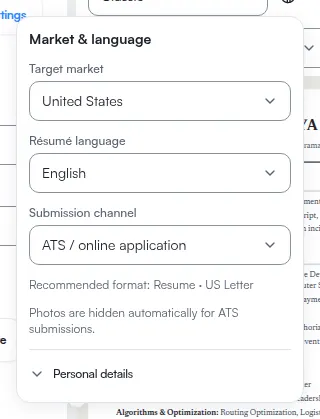
ATSReady uses the language already set on the résumé first, then falls back to market defaults when needed.
The control is not in Preferences. It sits with the market settings for that document, which open over the résumé itself.
What export selection does
When ATSReady decides which résumé language variant to render for export, it uses this order:
- an explicit export-language pick
- your current UI language, if that résumé already has a translation in it
- the résumé's own language
What changing résumé language does not do
Changing the résumé language setting does not translate your text by itself. For translated copies, use content translation.
Market and language are separate
Target market controls market presentation rules such as page size and document conventions. It is not the same decision as the viewer's current UI language.