

Language settings overview
See which ATSReady setting changes the interface, which starts content translation, and which controls résumé language or market behavior.
ATSReady keeps these language and market decisions separate because they affect different surfaces.
Which setting changes what
| You want to change | Use |
|---|---|
| app labels, buttons, and messages, and the extension side panel while you are signed in | interface language |
| translated copies of supported stored content | content translations |
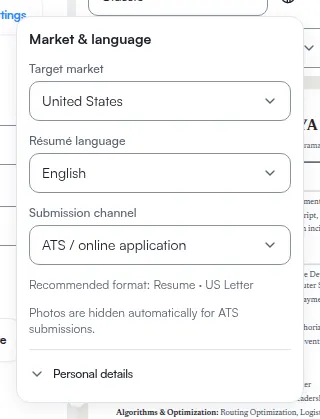
| one résumé's language and market presentation | that résumé's own settings |
The first two live in Preferences, and they are still two different controls. The interface language can also be changed from the extension's side panel while you are signed in, and that changes the same account setting. The third does not live in Preferences at all: it belongs to a document, so it opens over that document — see Target market settings for a résumé.
The important edge case
Most of the time, changing the interface language does not change a résumé.
One exception exists in résumé export selection:
- if you did not explicitly pick an export language
- and the résumé already has a translation in your current UI language
ATSReady can render that translated résumé variant by default.