

Navigation
Find your way around ATSReady on desktop and phone, including sidebar behavior and mobile navigation.
Use this section when you know what you want to do in ATSReady but not where that control or page lives. The rail is how you reach Chat, Professional Identity and the pages under it, Jobs, Activity, and Settings and account; the pages below explain the rail itself.
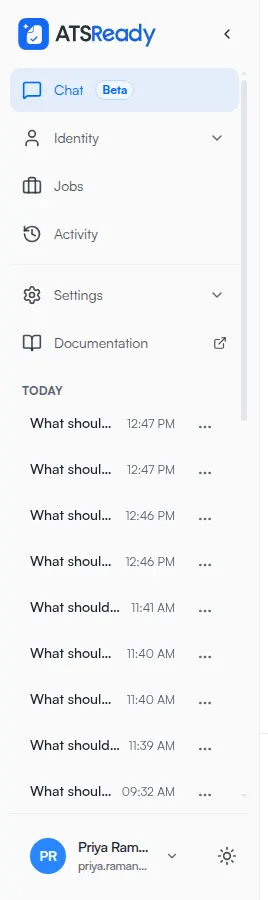
Start here
- Use the sidebar explains the main desktop navigation.
- Collapse the sidebar explains what changes when the sidebar is narrowed.
On smaller screens
- Navigate on a phone explains how navigation changes below desktop width.
The same width boundary changes the resume workspace — see Resume editing on a phone.
Pages in this section
- 01Use the sidebarUnderstand the current ATSReady desktop sidebar, its top-level rows, and where settings and documentation live.
- 02Collapse the sidebarReduce the ATSReady desktop sidebar to its compact state and understand which navigation elements disappear until you expand it again.
- 03Navigate on a phoneFind the mobile navigation control in ATSReady and understand how the sidebar becomes a drawer on smaller screens.
Nothing in this section matches