

Change preferences
Update ATSReady language and preference sections, understand how each section saves, know where eligibility affects later defaults, and control whether practice interview answers are kept.
On this page
The Preferences page is where you manage the interface language, content translations, the settings that shape your job-search defaults, and whether your practice interview answers are kept. It is one of the three routes described on Where each setting lives.
What is on the page
At the top, ATSReady shows a Language row. Below that, the page is one accordion group, and it is one-open-at-a-time: opening a section closes the one that was open. Contact is the section that starts open.
In order, the group contains:
- Content translations
- Contact
- Links
- Location
- Eligibility
- Compensation
- Role & Experience
- Work Arrangement
- Practice interviews, on a plan that includes mock interviews
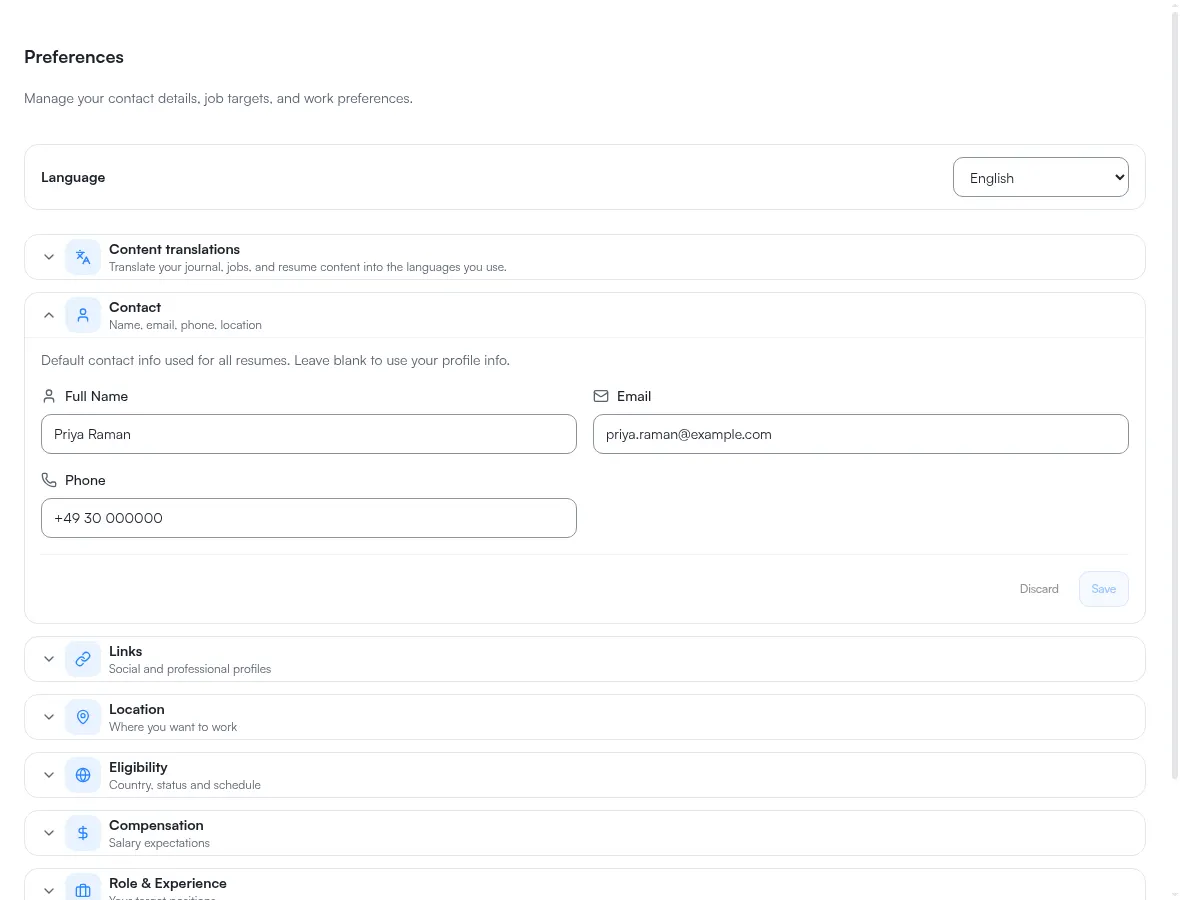
How saving works
Each preference section saves independently. A change in one section does not save the others, and each of those sections has its own Save and Discard.
Content translations and Practice interviews have no Save button: what you press in them takes effect at once, so neither can hold unsaved changes.
Contact and Links validate before they let you save: while a field is invalid, their Save stays disabled and the section tells you to fix the highlighted fields first. The other sections do not block on validation, so their Save becomes available as soon as anything is dirty.
A section you have changed and not saved is what the unsaved changes warning is about, and that page sets out the navigation paths the warning does not reach.
How eligibility affects other sections
The Eligibility section names what it drives, and it drives three things:
- your salary currency in Compensation, which is also why changing the eligibility country clears any salary figures you had entered
- the countries the current-location box searches in Location, which is also where the origin for distance search comes from
- the market the job search runs in
The third is the one that leaves this page. The first two change controls you can see a few sections down; the third changes where a later job search looks, which is not visible from Preferences at all.
Both of the in-page effects defer to you: once you have chosen a currency or entered compensation values yourself, changing the eligibility country stops overwriting them.
Practice interviews
This section decides whether ATSReady keeps the answers you give in mock interviews, and deletes the ones it has kept. It appears only on a plan that includes mock interviews; What each plan includes has the tiers.
If you have not been asked yet, the section shows the question chat asks before your first draft answer: May your rehearsal answers be kept?, with Keep them and Do not keep them. It is the same decision in both places, so answering it here answers it in chat too.
Once you have answered, the section shows the switch Keep my answers to improve my drafts, with a sentence under it saying what the current setting does. Turned off, nothing new is kept and nothing already kept is drawn on, but the answers already kept stay until they are deleted. The section also says that kept answers are not used for training: the model does not change, and nothing of yours is used to draft for anyone else.
While at least one answer is kept, the section also shows Delete all … answers, where … is the number kept, or Delete the one answer when there is only one. It deletes every answer ATSReady has kept for you, on every job. It asks first, with Delete it and Keep it, and it cannot be undone. Deleting does not change the switch.
The answers themselves are not listed here. Each job lists the ones kept for it in its Interviews section, described on Job details sections. Deleting a job deletes the answers kept for it, and deleting a conversation deletes the answers given in it.
Result
After a successful save, ATSReady updates the saved settings for that section and keeps the rest of the page unchanged.
What you save here is read outside this page too. The Chrome extension scores a detected posting against these preferences rather than against your resume — see How the extension fit score works.
Related pages
- Where each setting lives
- Language settings overview
- How the extension fit score works
- Understand the unsaved changes warning
- Reset or delete your data, which deletes every preference section on this page