

Cover letters
How the ATSReady cover-letter section supports manual edits, AI drafting, copying, and Word export for a saved job.
Use the Cover Letter section of job detail when a saved job needs its own letter. Open it from the section menu in the pane header.
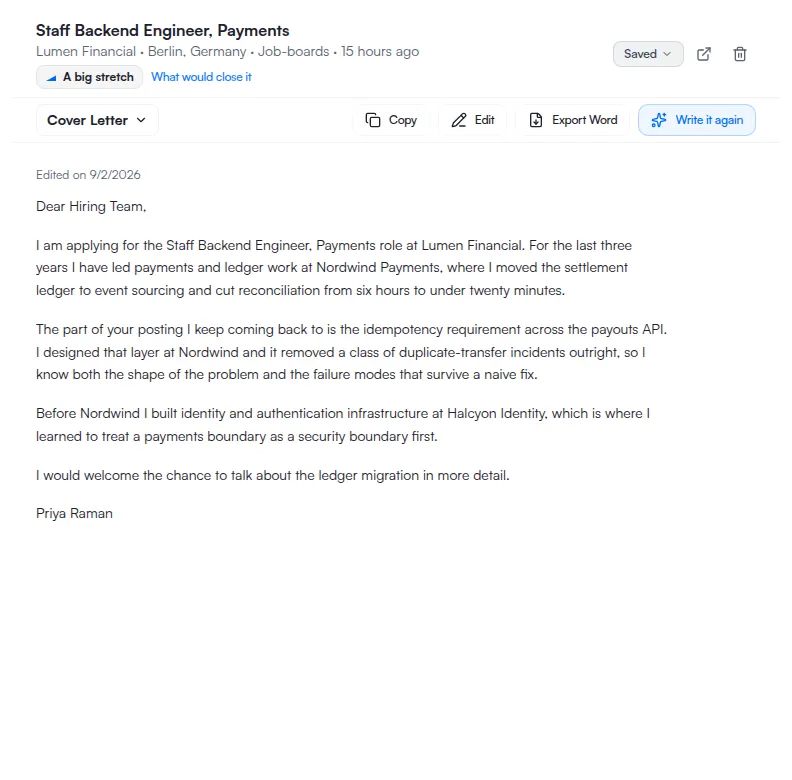
What you can do there
- read the current letter,
- switch into edit mode,
- save a revised draft,
- copy the letter,
- export a Word file,
- or ask ATSReady to generate or regenerate the letter when that feature is available.
What blocks AI generation
The cover-letter section resolves one visible AI block at a time, in this order:
- entitlement — see What each plan includes,
- rate limit,
- missing source resume — see Tailored resumes.
Manual editing stays separate from those checks.
What to expect when you edit
- Save stays disabled until the draft both differs from the stored letter and is not empty. Clearing the box is not a way to save an empty letter.
- If save fails, ATSReady keeps you in edit mode with your draft intact.
- Copy and export both take the saved letter, not the draft in front of you. Save first if you want your latest edit in the clipboard or in the file.