

Jobs
How the ATSReady jobs workspace is organized, including adding jobs, detail sections, filters, scores, research, and cover letters.
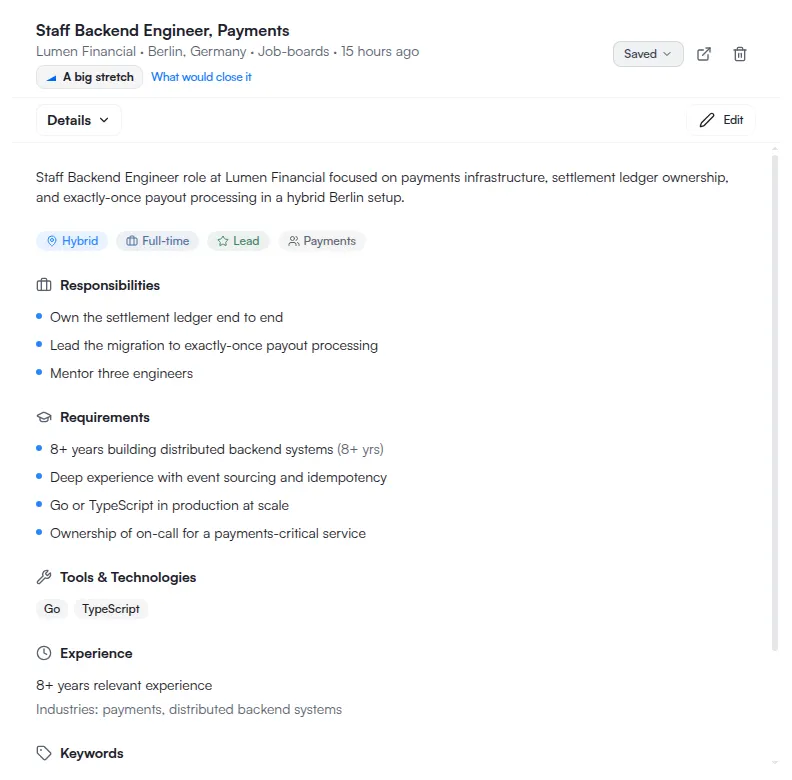
The ATSReady jobs area is a linkable workspace with a job list, a job detail pane, filters, scores, and document actions tied to each saved job. Postings arrive from Add a job or from the Chrome extension.
What to learn first
- How the ATSReady job board works
- Add a job to ATSReady
- Job details sections
- How ATSReady scores jobs and resumes
- Company research in ATSReady
- Cover letters in ATSReady
- Filter jobs and use distance search
Follow one job end to end
- You found a job and want to know if it is worth it compares the four readings a saved posting can carry.
- You need a cover letter tonight runs the cover-letter path and names every reason it can refuse.
Pages in this section
- 01How the job board worksHow the ATSReady jobs workspace stores state in the URL and combines the job rail, stages, filters, and detail pane.
- 02Add a jobThe two ways to add a job in ATSReady, which fields are required, what starts immediately, and when to use the Chrome extension instead.
- 03Job details sectionsThe eight sections in the ATSReady job detail pane, how to move between them, and what each one is for.
- 04How job and resume scores workWhere ATSReady shows ATS and match scores in the jobs workspace and how those scores differ from the extension fit score.
- 05Filter jobs and use distance searchHow the ATSReady jobs workspace combines search, stage, reach, work-type, country, and distance filters.
- 06Company researchWhat the Company section of a job contains, how ATSReady gates access, and what the panel shows while research is missing, loading, or stale.
- 07Cover lettersHow the ATSReady cover-letter section supports manual edits, AI drafting, copying, and Word export for a saved job.
Nothing in this section matches