

Save a job with the extension
How the ATSReady extension saves the current job page, tracks processing, and stores recent saves.
Use the ATSReady extension on a detected job page to save the current posting into your ATSReady job board.
Most of this path needs a plan that reaches it. What each plan includes says which plan reaches which reading; this page assumes yours does.
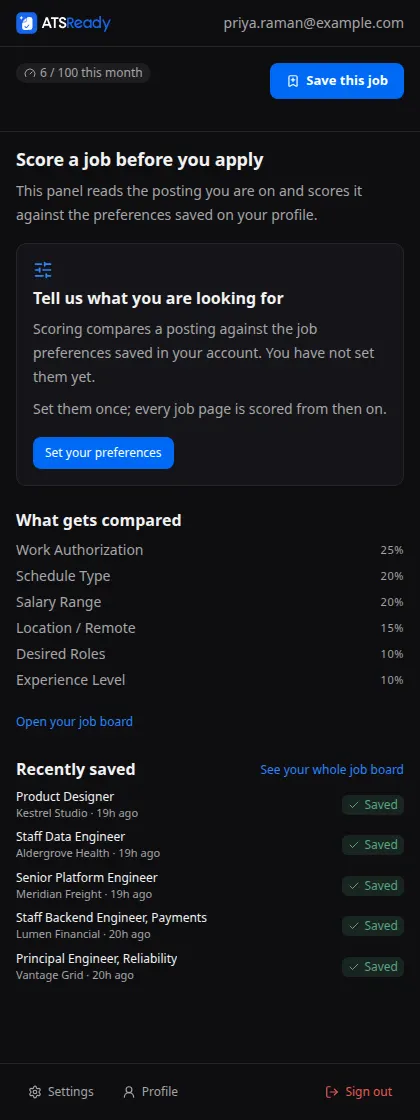
Where you can save from
The extension offers save actions in two places:
- the in-page floating control,
- and the side panel button.
Both paths submit the current page as cleaned job HTML plus extracted metadata.
What happens after you save
- The extension submits the page to ATSReady. What it sends is described on What the extension can read, and the payload has a size ceiling on File types and size limits.
- ATSReady returns a processing job id or a duplicate/limit response. A limit response is the monthly job import allowance.
- The background worker polls for completion.
- Recent saves update as the job finishes or fails.
Once the posting lands, it becomes an ordinary saved job: see Job details sections and How ATSReady scores jobs and resumes.
The extension keeps up to five recent saves in local storage.
Recovery
If a save is still pending when the service worker restarts, the watchdog alarm can resume the poll from stored pending state.