

Your import finished and it says 0 years of experience
Follow one resume import from the 0 on Professional Identity to the dates that extraction dropped, and choose between adding them by hand and importing the file again.
On this page
The import reported success. Professional Identity opened. The stat row at the top of the page reads 0 under Years Experience, and the three figures beside it — Companies, Skills Mastered and Certifications — are not zero. That combination is the part worth reading closely. A file that produced certifications also contained work history, so the work history is not absent from the account.
The roles imported. Their dates did not. On this screen a role with no dates and a role that was never imported produce the same figure, which is why the number looks like data loss when it is a gap in one field.
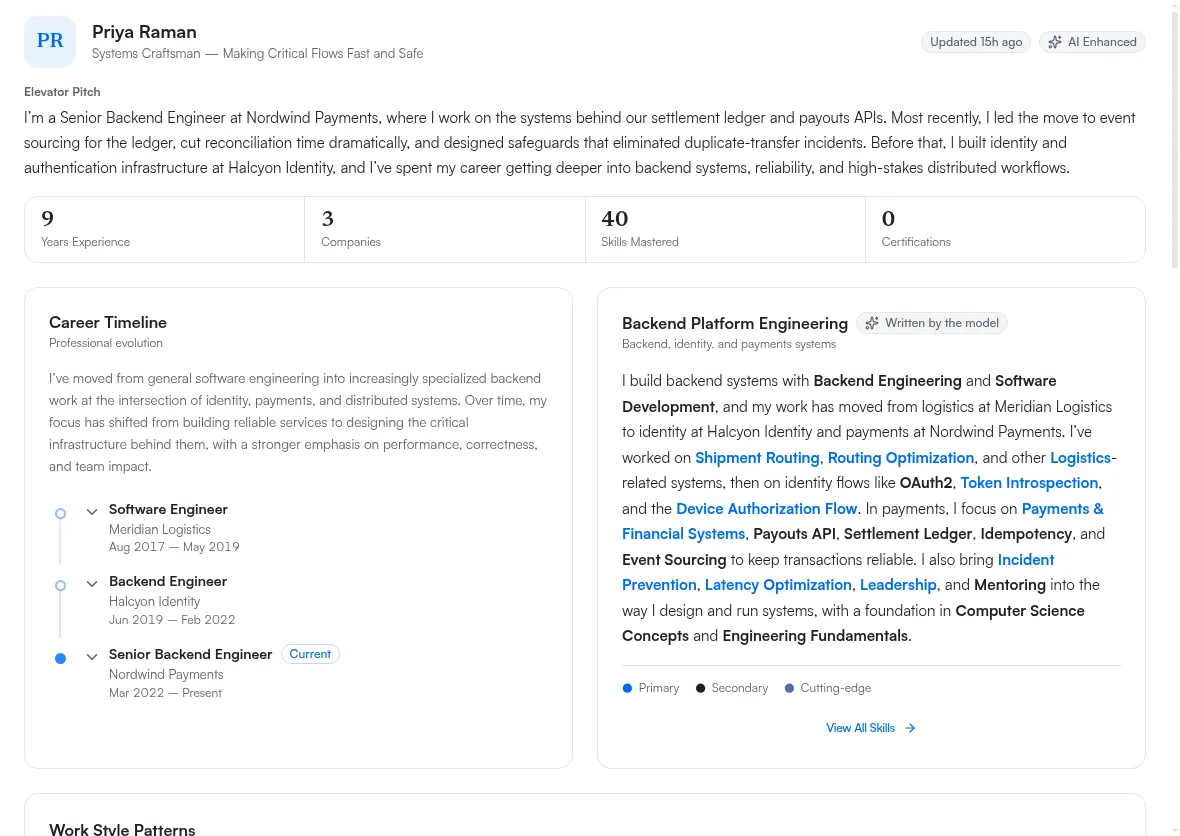
What the stat row is counting
Of the four figures in that row, Years Experience is the one that depends on dates. The other three describe entries that exist. Years Experience describes a length of time, and a length of time cannot be derived from a role with no start and no end.
So a record of correctly imported, completely undated roles reads as zero years. The figure is accurate about what it can see.
The entries are on your professional journey
Open Professional Journey. The roles are in the Work Experience section, collected under a heading called Needs dates, with the subtitle These are not on your résumé until they have a date. Education entries from the same import are usually grouped the same way.
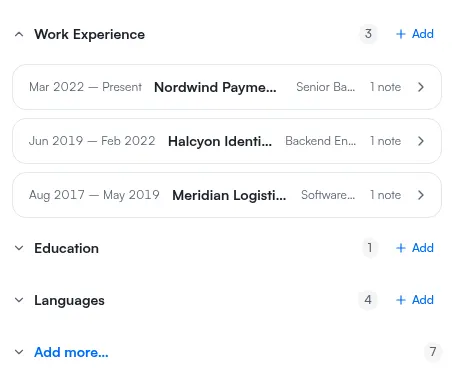
Needs dates is not a validation failure. Dates are optional when an entry is saved, and nothing was rejected. The grouping is a reading aid: it separates the entries that are not yet eligible to be pushed onto a resume from the ones that are. An entry sitting in that group is stored, editable and searchable exactly like any other.
Two categories never appear there at all, because they carry no chronology: Languages and Interests. If you are counting how much work is ahead of you, do not count those. Why a journey entry needs dates covers the group and the date format it expects.
Why the dates were dropped
The cause is in the file, and it is not visible from either screen.
When a PDF sets its work and education dates in a right-aligned column — the role on the left, 2019 – 2023 pushed to the right margin — those dates are lost during extraction. Every one of them. Certifications and awards in the same document survive, because their dates are written inline and in parentheses rather than in a column of their own.
The test that confirms it: a plain-text version of the identical CV, same wording, same roles, parses correctly. Nothing about the content is the problem. The layout is.
That gives you a pattern you can check before you start fixing anything. If the entries that lost their dates are the ones your CV lays out in a date column, and the entries that kept their dates are the ones with dates inline in the sentence, this is what happened. Importing a resume covers the rest of the import behaviour.
Two ways forward, and what each costs
Both work. They cost different things, and the right choice depends on the shape of your record rather than on a general rule.
Add the dates on the journey
- Open Professional Journey and go to the Work Experience section.
- Open the first entry under Needs dates.
- Add the start month and year, and the end month and year if the role has ended.
- Save. The entry leaves the group.
- Repeat for the remaining entries, including Education.
- Use Push to résumé once the group is empty.
The cost is your time, and it scales with the number of undated entries. Nothing is duplicated, and the summaries and bullets the import wrote for each role stay as they are. Pushing journey content to a resume describes what the push writes and what each result means.
Import a plain-text version of the same CV
Save the CV as plain text and import it again. The dates parse, and you type nothing.
The cost is duplication, and it is uneven. A second import de-duplicates experience, education and languages against what is already in your record. It does not de-duplicate awards, certifications or projects — those arrive a second time and you remove the copies by hand.
So the arithmetic is: count your undated entries, then count your awards, certifications and projects. If the first number is much larger, importing again is less work overall. If the second is, adding the dates by hand is. Resume import is available on every plan and has a daily cap, so a second import is available to you, but a run of trial imports is not. Accepted formats and file sizes are listed on the file limits reference.
What changes once the dates are in
Years Experience resolves to a span rather than a zero, and the Career Timeline on Professional Identity fills in with the roles in order. The push line updates as you save each entry, so you can watch the Needs dates group shrink instead of waiting for one confirmation at the end.
Some parts of Professional Identity will still be missing, and dates are not why. Several sections appear only once your record holds enough evidence, and those thresholds are independent of this problem — see why a Professional Identity section is missing.
If the number is still 0
Check that the entries themselves are there. If Work Experience on the journey is genuinely empty rather than full of undated entries, this walkthrough does not describe your import, and the run's own record is the place to look: what the activity log shows.
There is one way to reach an empty Work Experience that looks nothing like a failure: an older .doc
file can be offered by the file picker and then refused by the import itself, so check the accepted
formats on importing a resume before you conclude the extraction went wrong.
If the entries are there but the figure has not moved, check whether the Needs dates group is actually empty. Only Work Experience feeds this figure, so one role still sitting in that group is one role still outside the span, and a record that is otherwise fully dated will hold the number down on its own.
Once the group is empty, You did something at work and want it on record is the walkthrough for keeping the record current from here rather than repairing it after the next import.