

What a resume includes
The editable sections that make up an ATSReady resume and where to complete missing information.
On this page
An ATSReady resume is built from 13 editable sections, in a fixed order.
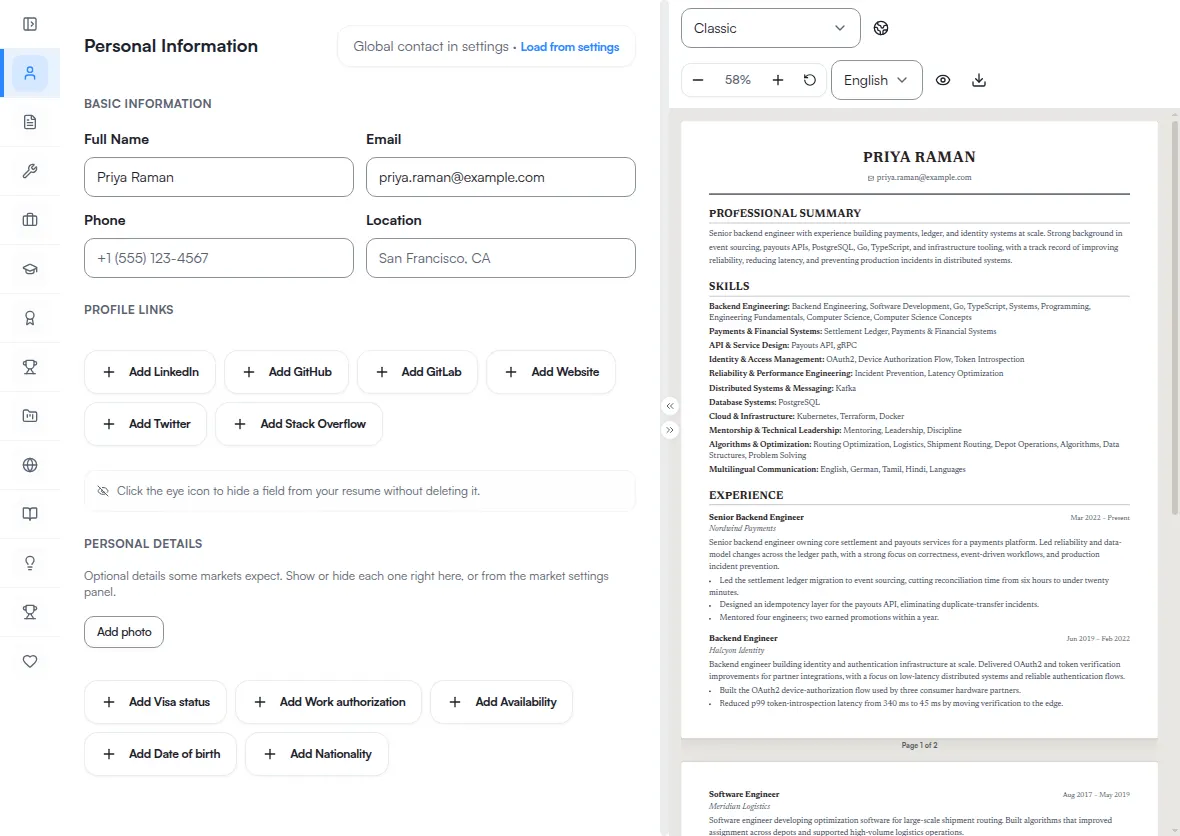
The rail is part of the desktop editor. Below 1024 px the resume route renders the document and no form, so there is no rail to open a section from — see Resume editing on a phone.
The 13 sections
These are the names the rail uses, in the order the rail lists them:
- Personal Information
- Professional Summary
- Skills
- Work Experience
- Education
- Certifications
- Awards
- Projects
- Languages
- Publications
- Patents
- Extracurricular Activities
- Interests & Hobbies
You do not need to fill every section. Empty sections can stay unused, and template output depends on the content you keep in the document. Most of these sections can also be filled from your career record rather than typed — see Push Professional Journey content to a resume.
What you can and cannot reorder
Section order is not a setting. There is no control for it in the editor, in template settings, or in market settings.
Two orders are involved, and neither one is yours to change. The rail order above is the editor's, and it is the same for every resume. The order the sections print in belongs to the template: Harvard leads with Education, Tech places Projects ahead of Education, and the two two-column templates split the sections between a sidebar and a main column instead of running one sequence. Choosing a template is therefore the only way the printed order changes — see Resume templates.
What you can reorder is the entries inside a section. Work Experience, Education, Projects, and Skills each let you drag their rows into a different order, and that order is yours. It moves entries within one section, never the sections themselves.
If you are starting from existing material
- Import a resume if you already have a document.
- Edit a resume if you want to work section by section.
- Resume templates if you want to change presentation before exporting.
- Target market settings for a resume if country, language, or submission channel needs to change.
- Professional Journey categories if the missing source material lives in your Professional Journey.