

Resumes
What the ATSReady resume area covers, including imports, editing, templates, market settings, exports, and tailored resumes.
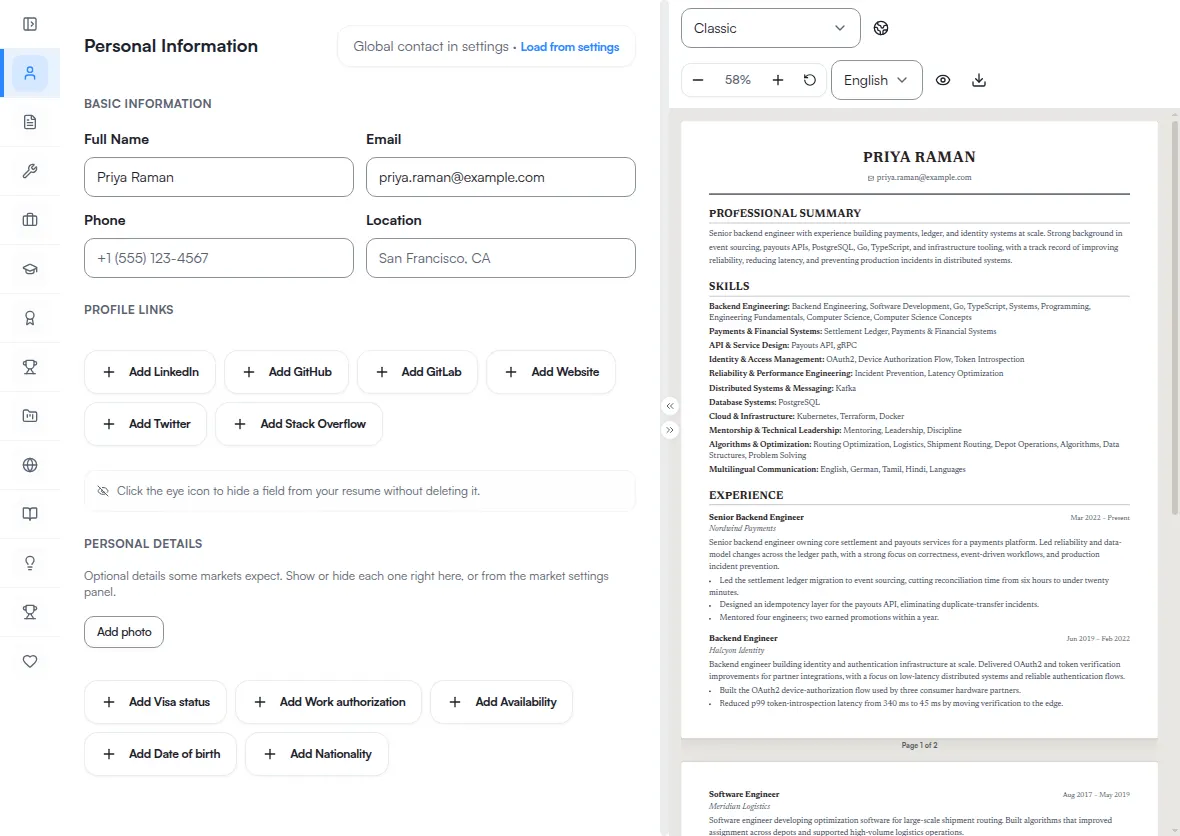
ATSReady’s resume area covers importing a resume, editing it in the desktop workspace, adapting it for a target market, and exporting the result.
What you can do
- Import a resume. Import is how a resume gets created — there is no from-scratch builder.
- Edit 13 resume sections in the desktop editor.
- Choose one of nine templates.
- Set market, language, submission channel, photo, and personal-detail preferences where the product allows them.
- Export as PDF or Word.
Where a resume comes from
ATSReady calls your default document the Base resume, and it is created by importing a file. The product has no blank-document path: opening the resume route before you have one shows an explanatory card rather than a create button, and the Create a résumé button in the Professional Journey is a link to that same card.
Documents you tailor to a specific saved job are separate from it. See Tailored resumes.
What changes below 1024 px
Under 1024 px the resume route switches to a preview-first surface. That is a width rule, not a device rule, so a portrait tablet gets the same surface a phone does.
You can read the document, change template, and export from there. You cannot keep a template change: Save, Undo, and Redo are part of the desktop workspace and are not rendered below that width, so the change reaches preview and export but never the stored document. See Resume editing on a phone.
Start here
- What a resume includes
- Import a resume
- Edit a resume
- Resume templates
- Target market settings for a resume
- Resume photos and personal fields
- Export a resume
- Tailored resumes
- Resume editing on a phone
Where the content comes from
A resume can also be filled from your career record rather than typed into it. Push Professional Journey content to a resume is that path, and Professional Journey is the record it writes from.
Follow one resume end to end
- You have a resume file and nothing else runs sign-in, import, template and export in one pass.
- You are applying to a job in another country takes the market, photo, language and export decisions in the order they have to be made.
Pages in this section
- 01What a resume includesThe editable sections that make up an ATSReady resume and where to complete missing information.
- 02Resume templatesThe nine ATSReady resume templates, their layouts, photo behavior, and supported submission channels.
- 03Import a resumeAccepted ATSReady resume import formats, where the import runs, and what to check if it does not finish.
- 04Edit a resumeHow the ATSReady desktop resume editor is structured, where Save lives, and what changes move to preview, template, market, and export.
- 05Use the resume preview to jump to an editLearn when clicking the ATSReady resume preview opens the matching section or entry in the editor.
- 06Target market settings for a resumeHow ATSReady resolves resume country, language, submission channel, and presentation before export.
- 07Resume photos and personal fieldsWhen ATSReady shows photo and personal-detail controls, which fields are supported, and which file rules apply to a resume photo.
- 08Export a resumeThe ATSReady resume export formats, where export language appears, and what to check before downloading.
- 09Tailored resumesHow ATSReady distinguishes your Base and tailored resumes, how a job link affects editing, and when a tailored resume becomes read-only.
- 10Resume editing on a phoneWhat the ATSReady resume route supports below the desktop width and when you need to reopen the document on desktop.
Nothing in this section matches