

Job details sections
The eight sections in the ATSReady job detail pane, how to move between them, and what each one is for.
On this page
The ATSReady job detail pane has eight sections. You move between them with a menu in the pane header, not a row of tabs.
The sections
| Section | Purpose |
|---|---|
| Details | Core job information and job-level actions |
| Company | Company research, with its own tabs inside the section |
| Resume | The linked resume surface for this job |
| Cover Letter | The job’s cover-letter workspace |
| Analysis | Analysis output for the job and linked resume |
| Notes | Notes attached to the job |
| Contacts | Contacts attached to the job |
| Interviews | Interview records attached to the job, and the practice interview answers kept for it |
Company, Resume, Cover Letter and Analysis each need a plan that reaches them, and so do the practice interview answers inside Interviews; Details, Notes, Contacts and the rest of Interviews do not. What each plan includes is where that sits.
How to open another section
The menu sits in the detail pane header and is labeled with the section you are on, so it reads Details until you move. Open it, then choose the section you want.
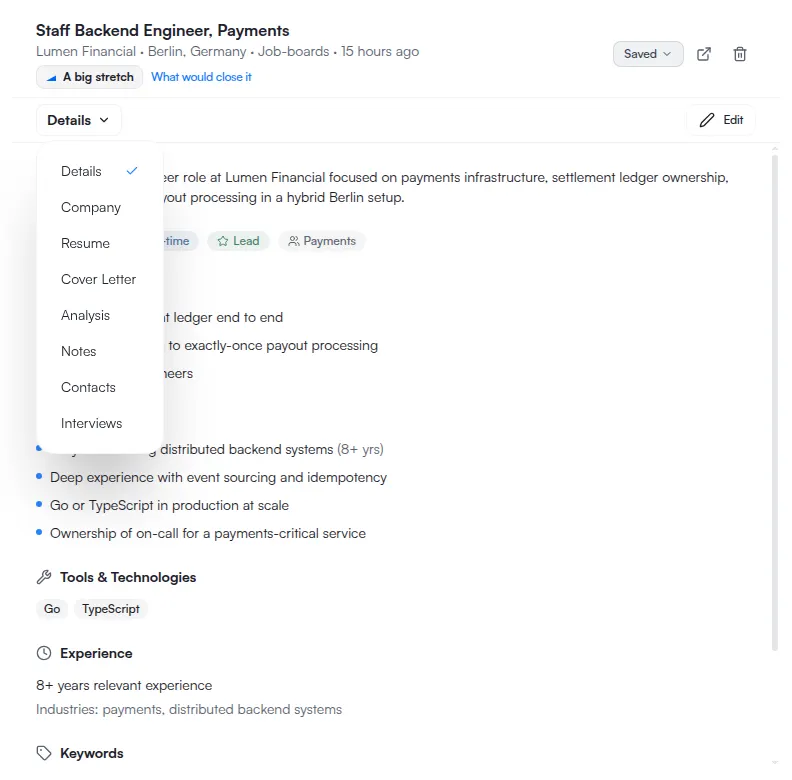
The section you are on is also kept in the URL, so a link to a job can point at a particular section of it. How the job board works covers the rest of that URL state.
A resume opened from the Resume section is preview-only, whatever the window width — see Target market settings for a resume and Use the resume preview to jump to an edit.