

Upgrade your plan and manage billing
Use the ATSReady pricing and Account pages to change plans, manage payment details, and review billing history.
On this page
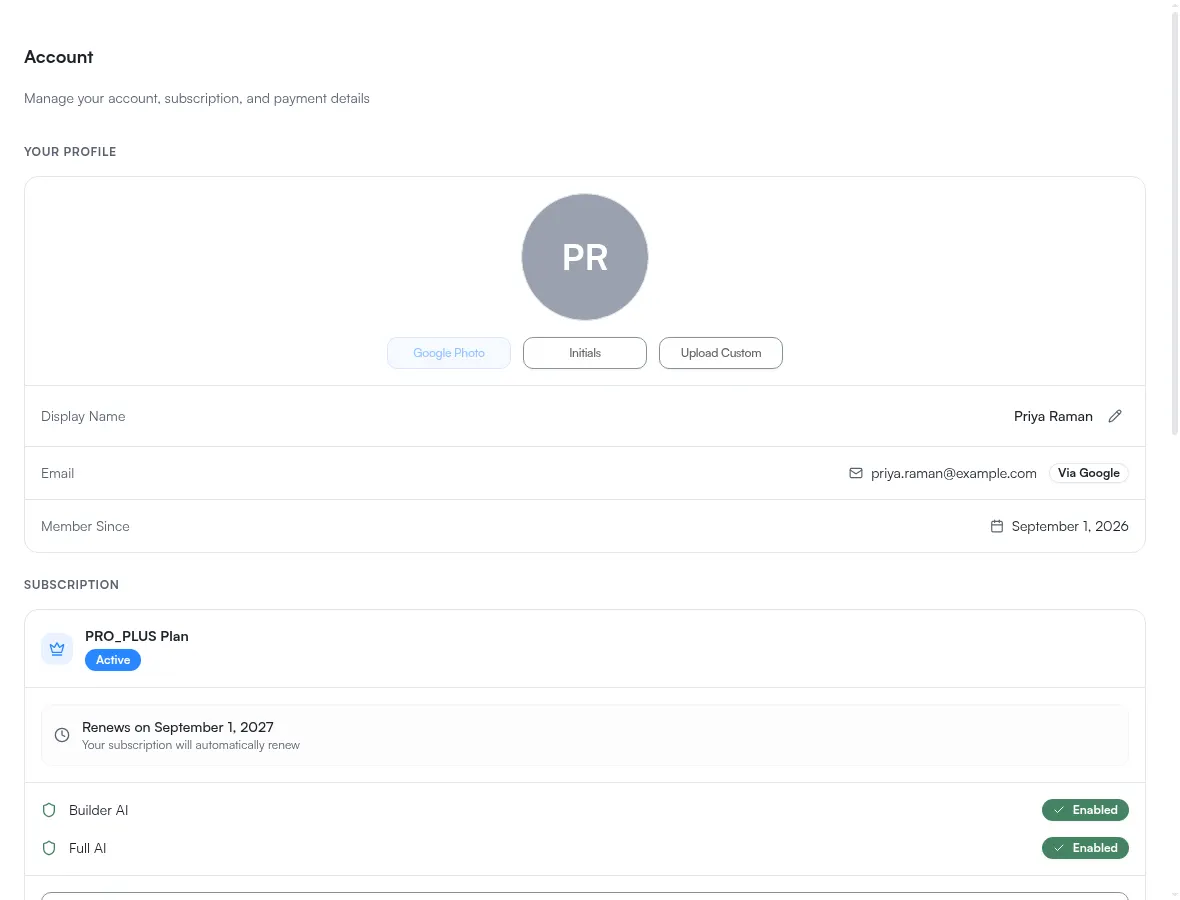
Use Pricing to start a plan change and Account to manage payment details and billing history.
Where each billing task lives
- start or change a plan: Pricing
- open the billing portal: Account
- review payment method: Account
- review billing history: Account
- cancel a subscription: Account
The split is consistent: choosing what you pay for happens on Pricing, and everything about the payment itself happens on Account. What each plan includes is the canonical page for what you are choosing between, and Manage your account details covers the Account page block by block.
Useful route behavior
/settings/billingredirects to Account — see Where each setting lives for the other legacy redirect- product upgrade prompts point to
/pricing - quota and subscription-required responses for the
monthly allowance also point to
/pricing
Two buttons, and when you see neither
Upgrade and Manage Subscription are chosen by your stored plan, not your current access, so you never see both at once. During a trial the stored plan is still Free — and there is no purchase to manage and nothing to upgrade from, so the subscription block carries neither button. The free trial covers that case.
Important safety note
Deleting data is separate from subscription management.
If you need to remove account data, use Reset or delete ATSReady data instead of assuming a billing action will do it.