

Translate your content
Understand the ATSReady Content translations panel, its per-language row states, and how translated copies are kept separate from original content.
On this page
Content translation is a separate workflow from interface language selection.
Where it lives
Use Preferences → Content translations.
The panel shows one row per currently supported interface language. The language you are reading the app in is sorted to the top and is still listed, because a résumé written in another language is exactly the thing you may want translated into the one you read.
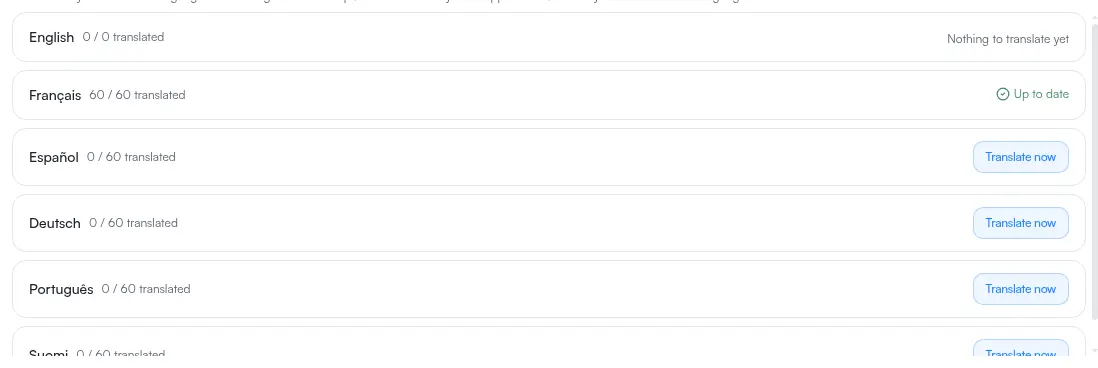
What each row can show
Each row shows a count of how many supported items are translated out of the total, and exactly one action beside it:
- Nothing to translate yet — there is no supported content to translate at all
- Translate now — some content has never been translated into this language
- Re-translate stale — every item has a translation, but at least one original has changed since
- Up to date — every item has a current translation
While the panel is still fetching, rows read Checking status… instead.
A row whose original text has changed after its translation was written also carries an Outdated badge. That badge is a statement about your edits, not about how long ago the translation ran.
What translation does with your text
Translated content is kept alongside the original. It does not replace the original text.
Retired language behavior
If you created translations in a language ATSReady no longer offers in the current roster, those translations are kept, not deleted. They do not appear in the current panel unless that language returns to the roster.